Inviting a laboratory to collaborate
There are two ways to invite a laboratory to collaborate: by receiving an invitation from the laboratory itself or via a link that you create.
To invite a laboratory that uses Cliniccards:
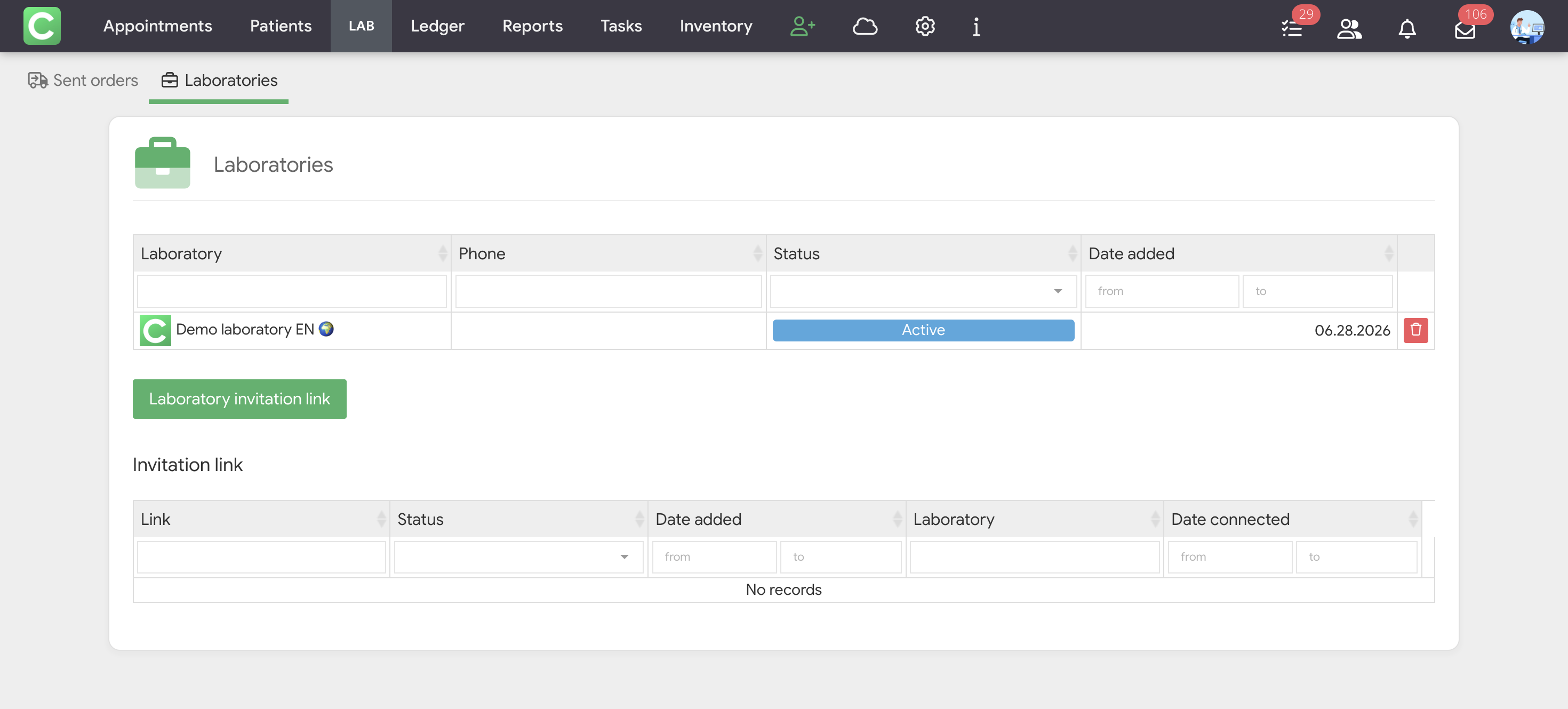
- Go to the Orders → Laboratories or Reports → Laboratories section.
- Click the Laboratory invitation link button.
- Copy the generated link from the Invitation link table.
- Send this link to a lab representative.
- Once the lab clicks the link and confirms the partnership, it will appear in your list with the status Active.
If the lab sent you a link on its own, simply click on it in your Cliniccards account. Once confirmed, the lab is automatically added to your list.
Only specialists with access rights to Contractors management can invite laboratories.