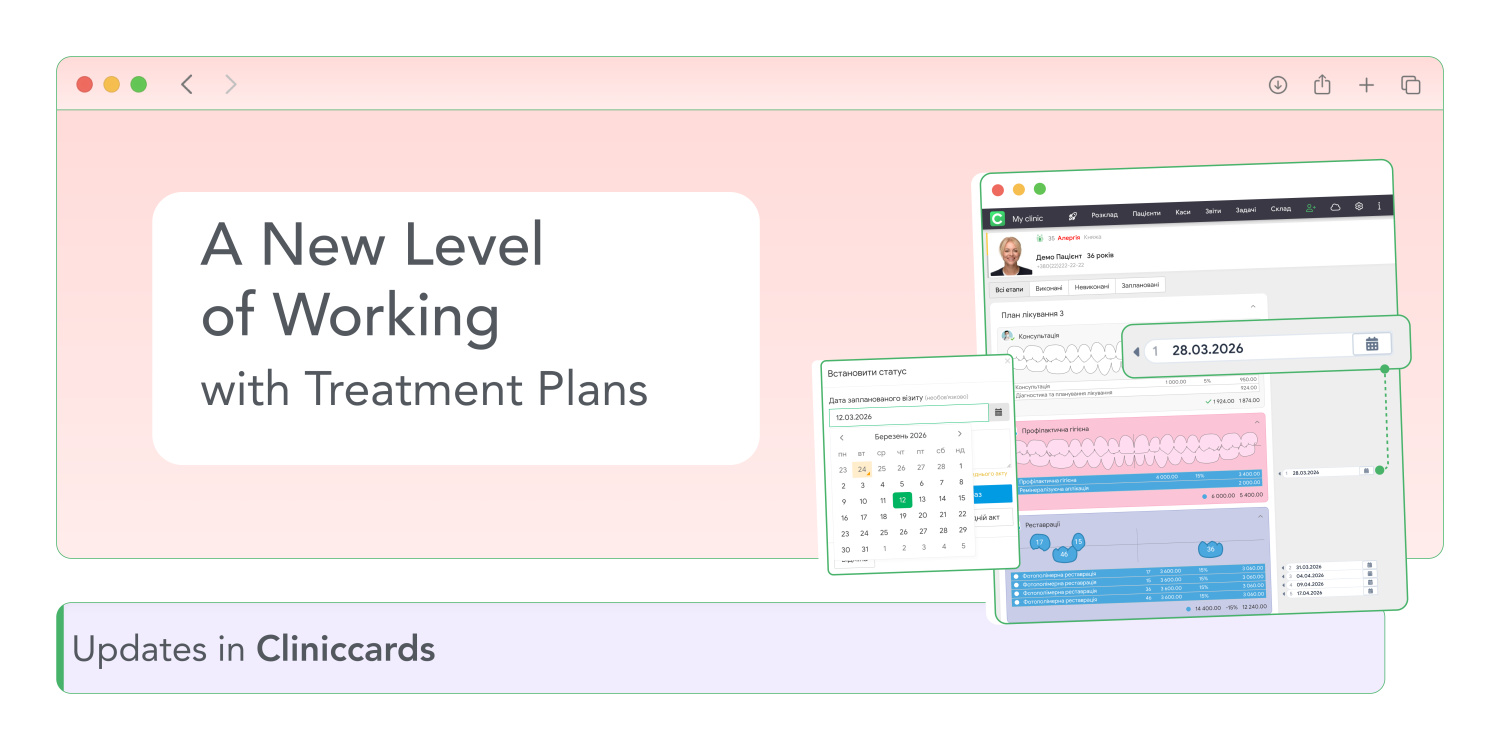
A new level of working with Treatment Plans
Treatment Plans in Cliniccards have become even more practical. Now you can not only create a plan but also immediately schedule specific procedures for the next visit with a selected date.
No need to keep in mind that “we’ll do this in March” anymore — in Cliniccards it can be fixed in just a few clicks.
How does it work?
- Open the patient’s card.
- Create or open a Treatment Plan.
- Select the required procedures.
- Click “Schedule for next visit”.
- In the new window, choose the date of the future visit.
- Confirm the scheduling.
After that, a mark with the selected date will appear next to the chosen procedures.
What happens next?
- All scheduled visits are automatically numbered.
- If the selected procedures belong to different stages of the plan, the system will correctly number the visits according to the sequence of stages.
- A calendar icon appears next to the date — with one click you can open the Appointments for the required day.
- When creating such a visit, the main fields are already filled in automatically: the patient, doctor, and procedures are pre-selected.
After the visit is created, the Treatment Plan will display visit status, date and time.
Important details
- If scheduled procedures are removed from the plan or unassigned from the next visit, they will automatically disappear from the visit in the schedule as well.
- If a visit has the status Missed, Rescheduled, or Cancelled, you can open the Appointments again via the calendar icon and reschedule it.
- After the procedures are completed, the mark disappears automatically.
Now the Treatment Plan is not just a treatment strategy but a fully controlled patient journey.
The update is already available in Cliniccards!