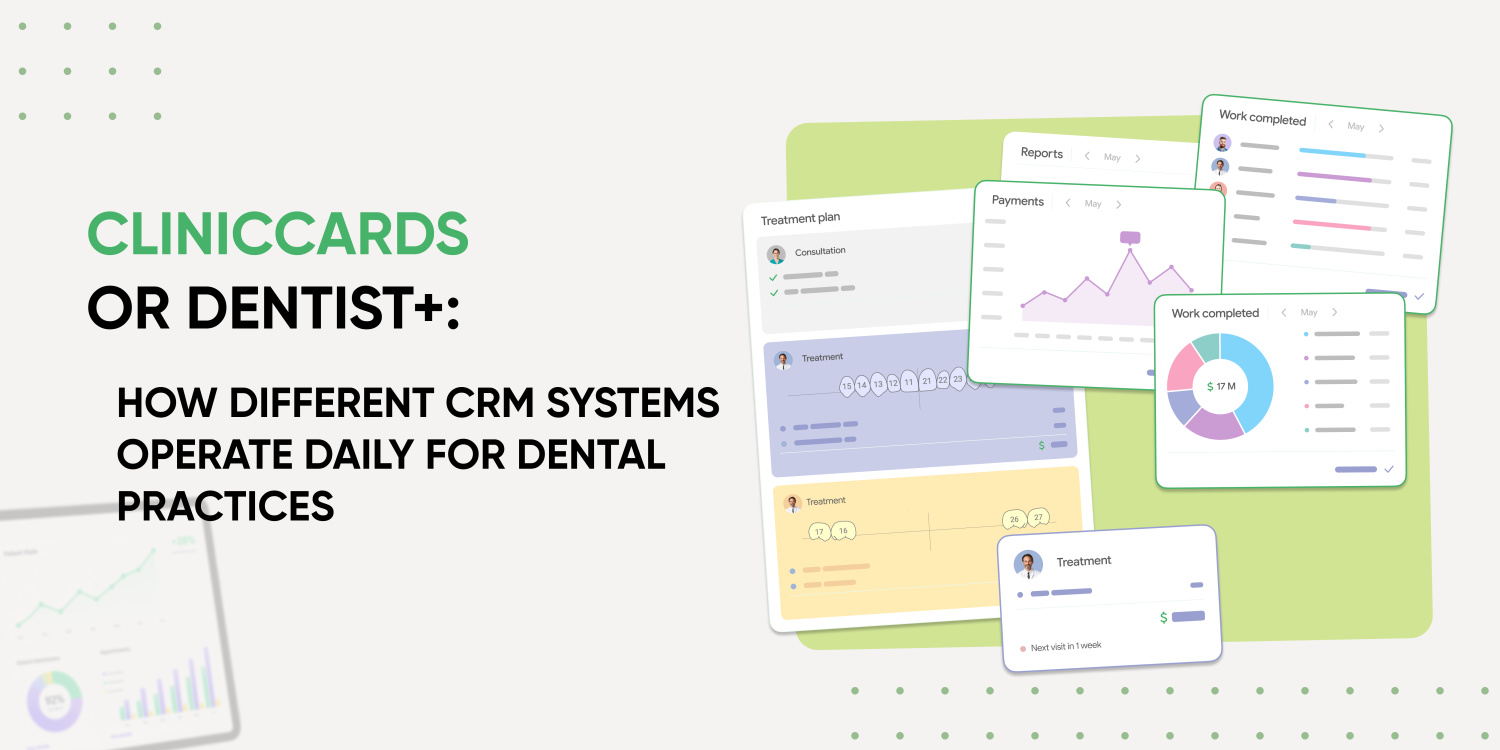
Choosing a CRM starts not with features but with how the clinic operates
When a dental clinic is choosing dental software, it’s easy to get lost in the list of features. Every system has a schedule, patient records, financials, appointments, reminders, and reports. That’s why search terms like “CRM for dentistry,” “software for dental clinics,” “software for dentists,” or “dental software” don’t actually mean looking for a pretty interface – they’re an attempt to find a system that can truly handle the clinic’s daily workload. But in real-world use, what matters isn’t just whether a feature is on the list, but how it helps the dentist, administrator, manager, and the entire team at any given moment.
It’s precisely in everyday situations that it becomes clear whether a dental software program functions as a simple electronic log or as a full-fledged dental clinic management system.
Cliniccards and Dentist+ both fall under dental CRM and dental management systems, but they have different focuses. Dentist+ excels in day-to-day CRM operations, while Cliniccards is more focused on clinical depth.
That’s why we’ve prepared this comparison not as a “yes/no” table but as an answer to the question: what will a clinic experience in real-world operations after implementing each system?
Scenario 1. Scheduling a patient for an initial consultation
For an administrator, the first point of contact with a patient isn’t the medical record, but rather a request, a phone call, an online appointment, or a message. If a dental patient scheduling program doesn’t track the source of the inquiry, the request’s status, and the next action, some potential patients may simply fall through the cracks. That’s why a dental practice management system should be more than just a calendar–it should be a tool for managing the entire initial patient flow.
In this scenario, Dentist+ appears to be a system well suited to managing initial patient flow. On its website, the service highlights online scheduling, request management, integration with ProDoctorov, a sales funnel for new patients, call lists, and appointment confirmations. In other words, the workflow is clear for the administrator: a request enters the system, can be processed, linked to its source, converted into an appointment, and the patient’s journey can then be tracked.
Cliniccards also handles scheduling, patients, appointments, administrators, reminders, and waiting lists. But its true strength becomes apparent a little later – when the initial appointment turns into a clinical process. In other words, Cliniccards is more about ensuring that, after making an appointment, the patient doesn’t “exist” in isolation within the schedule but is immediately integrated into a comprehensive ecosystem of treatment, finances, and tasks, where all information about their care is stored in chronological order.
If a clinic struggles most with missed appointments, chaos in initial inquiries, and poor call center management, Dentist+ may seem like a convenient option for managing patient flow. However, if the problem isn’t just about appointments but also about the difficulty of guiding a patient through multiple stages of treatment after they’ve been scheduled, Cliniccards provides a much broader context.
Situation 2. Opening a patient’s chart before the appointment
In real-world dentistry, a dentist doesn’t just look at the patient’s name and appointment time. A good patient management program should immediately display the clinical context, rather than forcing the dentist to gather information manually. The dentist needs to quickly understand the patient’s presenting issue, what treatments have already been performed, what diagnoses were made, what photos are in the medical history, whether there was a treatment plan, which stages have been completed, and what should come next.
Dentist+ offers an informative patient chart, a graphical dental formula, treatment templates, and ICD-10 diagnoses. The service also highlights a “live feed” – a chronological record of the patient’s activities at the clinic. It can display visits, payments, deposits, treatment plan progress, newsletters, staff comments, photo records, tasks, and call logs. This is convenient for doctors and administrators because they can quickly see what happened with the patient step by step.
Cliniccards is moving toward deeper clinical centralization. The system is designed to work with treatment histories, CT scans, STL files, photo records, treatment plans, and internal tasks. This is especially important for dental practices, where a patient’s chart is not just a text-based history but a repository for all diagnostics, treatment sequences, and treatment logic. Treatment plans are designed not only to ensure adherence to the treatment schedule but also to facilitate dynamic and convenient communication among specialists. Thus, different doctors at various stages of a single patient’s treatment can discuss each step and resolve issues as soon as they arise.
For example, if a patient is undergoing comprehensive treatment – first therapy and restoration, then endodontic treatment, followed by orthodontics, surgical preparation, implantation, and only then prosthetic restoration – it’s important for the doctor to see not just individual entries in the record, but the complete clinical journey. You need to quickly review CT scans, photo documentation, the treatment plan, the timeline of procedures performed, and the conclusions and diagnoses of all relevant specialists. It is precisely in this scenario that Cliniccards best meets clinical needs.
If a clinic prioritizes a straightforward chronology of events, tasks, calls, payments, and communications, Dentist+ meets this need with a “live feed.”
Situation 3. Developing a Treatment Plan
This is precisely the moment when a dental practice management system either helps sell, explain, and manage treatment or becomes just another document that exists separately from the actual work. For clinics offering multiple treatment specialties, what’s important here isn’t just dental CRM, but a system that creates a treatment plan in collaboration with the dentists, incorporating all diagnostic information (photos, files, CT scans, scans, etc.), payments, and next steps. It’s important to remember that treatment plans can be not only comprehensive but also varied: a single plan may encompass only a few stages of treatment yet still be a separate, cohesive plan.
Dentist+ places a strong emphasis on treatment plans. Within the system, plans are broken down into stages, with each stage assigned to a specific dentist. You can see the plan’s progress, the next stage, and the specialist in charge. There is also a separate sales funnel for treatment plans and reports that show patients and progress toward completion. This is useful for clinics that want to track better how many plans have been created, how many have been approved, and at which stage patients are currently.
Cliniccards also works with treatment plans through its analytics feature, but its strength lies in linking the plan to the broader clinical context. When a treatment plan is directly linked to the treatment history (which contains complete information about the patient’s clinical condition, plus CT scans, photo protocols, photos, and files), tasks, finances, and teamwork, it’s easier for dentists to manage a patient not just as a statistical record but as a real clinical case.
For a clinic that wants to control better the creation of treatment plans and the patient’s journey from consultation to approval, the logic behind Dentist+ may be straightforward. For a clinic where treatment plans are complex, interdisciplinary, and closely linked to the treatment history, CT scans, STL files, photo protocols, and the work of multiple dentists, Cliniccards will be a more systematic solution.
Situation 4. Expanding the Treatment Plan to Include Multiple Specialists
In dentistry, it’s often the case that a patient undergoes not just a single appointment but an entire treatment journey: first, therapy and restoration; then endodontic treatment; followed by the orthodontic phase, surgery, implantation; and only after that – prosthetic restoration. In such cases, a system for dentists must support not only records but also the logical sequence of actions for the entire team.
If the system doesn’t support teamwork, the clinic ends up relying on messaging apps. Doctors share information in chat rooms; the administrator manually clarifies details; tasks get lost; and the patient feels the team isn’t always working in sync.
Dentist+ features a CRM and task management for staff, messages for dentists and administrators, call lists, appointment confirmations, and a live patient feed. This helps track actions and communications related to the patient.
Cliniccards makes team collaboration one of its key features. All communication regarding the patient and the treatment plan occurs in the treatment history through comments. It’s worth noting that this allows not only dentists but also dental technicians and other specialists to communicate with one another. To this end, the Cliniccards platform recently launched a dental laboratory feature that improves clinic operations and collaboration during the fabrication of dental restorations for patients. The Tasks system is also linked to the lab, where clinic staff can discuss the creation of prostheses and other restorations, reducing production time and the number of fittings for the patient. For dental practices handling many complex cases, this is crucial because tasks and comments cease to be mere reminders and become an integral part of the clinical process.
Scenario 5. Keeping Accurate Financial Records
For a clinic owner, dental MIS is more than just scheduling and patient records. It’s also an accounting program for dental practices – a tool for managing finances, materials, dentist workload, and the performance of different departments. It’s a way to see how effectively the business is operating: how many patients came in for appointments, what treatment plans were agreed upon, how much revenue was generated, what materials were used, which dentists are busy, which services are profitable, and where the clinic is losing resources.
Dentist+ provides a clear overview of financial analytics. Here, you can view the P&L, cash flow, revenue and expenses, profitability by service area and treatment room, staff salaries, deposits, and more. For a manager, this is an essential set of tools, especially if the primary goal is to gain a deeper understanding of the clinic’s financial model.
Cliniccards also features robust financial analytics that cover all the clinic’s accounting needs: cash registers, assets, payments, and inventory. Financial and general reports deserve special attention, as they help track the performance of each specialist. These reports include: General Report, Cash Register Payments, Service Sales and Payments, 1C Clinic Operations, 1C Clinic Payments, Expenses, P&L (Profit and Loss), and others. This comprehensive financial component also includes reports on salaries, their calculation, and disbursement, as well as an automated report on inventory expenses. It is precisely these documents that ensure the finance department is not isolated from patient care. They are linked to patients, appointments, completed procedures, materials, and the team’s tasks.
Scenario 6. Using CT Scans, STL Files, and Photo Protocols
Digital dentistry is changing the requirements for practice management systems. Whereas dental software used to be limited to patient records and scheduling, clinics now need a dental practice management system that supports the handling of complex medical files. If a clinic works with CT scans, STL files, photo records, scans, and comprehensive diagnostics, storing this data separately from the patient’s chart becomes inconvenient.
Dentist+ supports working with X-rays and photo records and also displays photos in the patient’s history. For many clinics, this may be sufficient if the main goal is to store certain diagnostic materials alongside the chart and view them in the timeline of events.
Cliniccards makes working with medical files one of its core features. The system supports online viewing of CT scans, STL files, photo records, and a centralized treatment history. For clinics where digital diagnostics are part of daily work, this makes a significant difference.
For example, if a doctor needs to do more than just attach an image – working with a CT scan in the context of a treatment plan, tasks, medical history, photo protocol, and future comprehensive treatment – Cliniccards is always ready for such complex clinical scenarios.
Situation 7. Helping Administrators
Manual work in dentistry often goes unnoticed until there’s simply too much of it. Because of this, some clinics initially look for free dental software or search for “dental software to download,” but quickly run into the limitations of basic solutions. The administrator manually confirms appointments. The dentist manually passes information to a colleague. The manager manually calculates salaries and compiles financial analytics. The assistant manually checks inventory levels. The coordinator manually sends reminders about the next step.
Dentist+ effectively handles part of this routine through automated notifications to patients and staff via WhatsApp, Telegram, SMS, email, and WebPUSH, as well as mass mailings, CRM funnels, call lists, and appointment confirmations. In other words, the system excels at automating communication and administrative tasks.
Cliniccards reduces manual work in another way: by centralizing all clinical and internal processes. When CT scans, photo records, treatment plans, tasks, finances, inventory, and team communication are all in one platform, there’s less need to transfer data between different services. Administrators can easily and conveniently communicate with each other (and with doctors) using Tasks, comments, and reminders. It’s possible to create separate teams for different administrative departments, assign tasks to each employee, and communicate efficiently.
So what’s the real difference between Cliniccards and Dentist+?
In short, Dentist+ is more like a CRM for managing patient flow and administrative efficiency. It’s a convenient dental software solution for clinics that want to manage appointments, follow-ups, and communication better. Its strengths include online scheduling, appointments, sales funnels, a live feed, treatment plans, reminders, marketing messages, financial analytics, and inventory tracking.
Cliniccards is a dental clinic management system that began by optimizing clinical processes. However, over time, this platform expanded beyond such optimization to offer services for deeper clinical analytics across areas such as management, medical operations, finance, and more. The advantage of Cliniccards is its integration of all CRM system components, which form a holistic clinic, with each department having its own tools: Schedule, Appointments, Finance, Plans, Treatment History, Tasks, Inventory, Reports, Laboratory, and more.
Therefore, the choice does not depend on which program “has more features.” It is more important to understand which problem the clinic wants to solve first – a superficial one or a deeper one?
Why do clinics choose Cliniccards?
The Cliniccards platform isn’t just about scheduling patients; it’s about a more comprehensive approach to managing dental practices, clinical processes, and teamwork. It’s the solution of choice when a dental practice wants to transition from separate tools to a unified system.
In a small clinic, it’s possible to get by for a while using a schedule, messaging apps, a separate file storage system, and spreadsheets. But as the team grows, this model begins to fall short. Dentists search for information, administrators clarify details, the manager collects financial data from multiple sources, and patients don’t always feel that the team is working in sync.
However, Cliniccards meets the needs of both a private practice with a single chair and a large-scale clinic with a staff of 300. This platform fully addresses all challenges and tasks across fields and specialties, including orthopedics, surgery, orthodontics, and more.
Cliniccards helps consolidate key processes into a single environment:
For the dentist, this means faster access to the clinical context. For the administrator – fewer manual clarifications. For the manager – greater transparency into how the dental practice operates. For the patient – a more consistent treatment journey, since the team sees the full picture rather than isolated pieces of information.
That’s why Cliniccards can be viewed as dental software and a CRM for dentists in a team-based format: for clinics that offer comprehensive treatment, digital diagnostics, and multiple specialists – and that want to build not just a CRM, but a systematic approach to managing their dental practice.
How is Cliniccards different from Dentist+?
Dentist+ focuses more on CRM processes: online scheduling, requests, sales funnels, reminders, the patient’s live feed, marketing messages, finances, and inventory.
However, Cliniccards was created by dentists for dentists and is designed not only for the clinical process (CT scans, STL files, photo protocols, treatment history) but also for team tasks, collaboration among dentists, and centralized clinic operations. If a clinic is looking not just for an app for dentists, but for a full-fledged application for a dental clinic with an emphasis on teamwork, Cliniccards is the best fit.
Which dental CRM is best suited for comprehensive treatment?
For comprehensive treatment, the system must support not only appointments and reminders but also clinical histories, CT scans, photo records, treatment plans, tasks assigned among specialists, and financial management. In this scenario, Cliniccards stands out as a strong option for clinics where multiple dentists treat a patient.
When might Dentist+ be a good fit for a clinic?
Dentist+ may be a good fit for clinics that want to enhance their management of initial inquiries, online scheduling, sales funnels, reminders, marketing messages, financial analytics, and administrative oversight.
If it’s important for a clinic not only to handle initial inquiries, marketing, and financial analytics but also to manage the medical side of operations fully, Cliniccards may be a more comprehensive solution.
Are basic, simple programs sufficient for dentistry?
Programs like Excel or Google Sheets may be suitable for a small practice just starting. But as the number of patients, doctors, medical records, tasks, and financial processes grows, a clinic typically needs a full-fledged CRM system designed for dentistry.
Which system should a clinic that works with CT scans and photo protocols choose?
If CT scans, STL files, and photo records are an important part of your daily workflow, you should pay attention to how well the system integrates this data with treatment histories, plans, tasks, and doctors’ work. In this context, Cliniccards has a strong focus on digital dentistry and the centralization of clinical information.