What Should a Modern Dental Practice Management Software Look Like?
Just a few years ago, most clinics were looking for a simple program to schedule dental appointments. Such tools were meant to cover only the most basic needs: scheduling patients, entering information, and managing doctors’ schedules and finances.
However, today’s requirements for dental software have changed significantly. A modern dental clinic software solution should do more than just serve as an electronic appointment log. It should help the clinic manage all processes simultaneously:
That is why it is not just dental software that is becoming popular, but full-fledged medical information systems for dentistry and dental clinic management.
Among the services that are regularly considered are Cliniccards and MacDent. Both platforms fall into the dental CRM category, yet they differ significantly in how they organize clinic operations. But how and why? Let’s explore the answers to these questions below.
Why does a basic CRM fail to handle clinic operations?
One of the most common problems in dentistry is the fragmentation of information across different services. For example, the administrator works in a CRM; CT scans are stored in the cloud; photo records are kept on the dentist’s computer; and treatment plans are maintained in spreadsheets or documents. And of course, the biggest headache is managing finances in Excel spreadsheets with dozens of pages for ongoing analysis.
In practice, this creates constant delays in workflow. Imagine this scenario: a patient comes in for a follow-up consultation with an orthodontist after receiving dental implants. The dentist needs to quickly review the CT scans, evaluate the photo records, review previous stages of treatment, and understand which materials were used earlier. If all this information is scattered across different locations, the team ends up spending time searching for data rather than treating the patient.
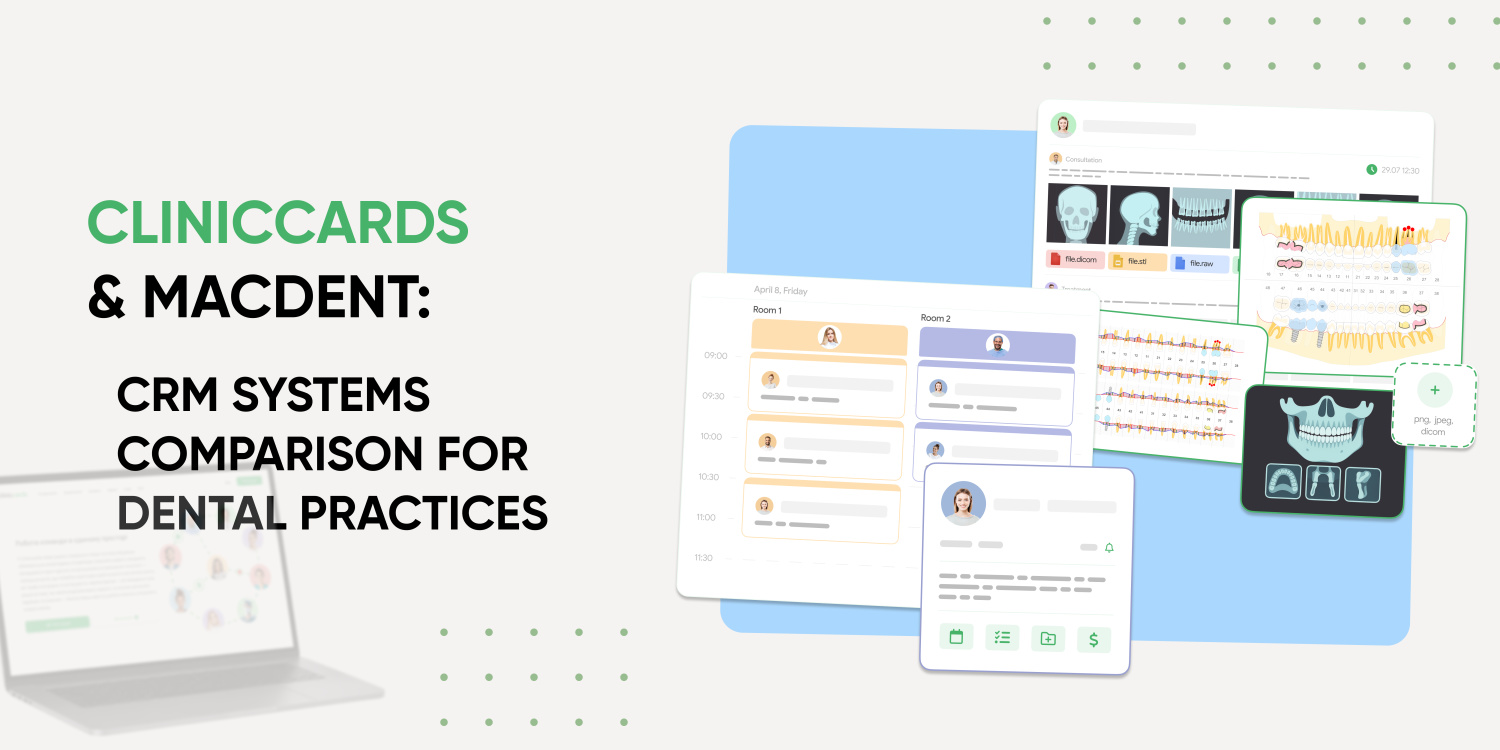
Cliniccards builds a system centered around centralized management of clinical information. Within a single platform, you can work with:
For clinics looking for a dental practice management system (PMS) focused on clinical work, this is a key factor.
MacDent also offers clinical functionality, but the system places greater emphasis on administrative control, financial analytics, and call center operations.
Messaging Apps Instead of Real Communication
Many dental clinics find that internal team communication gradually shifts to Telegram, Viber, or WhatsApp. At first, this seems convenient. But as the clinic grows, such a system begins to create chaos:
This is particularly noticeable in clinics with a comprehensive approach to treatment, where several specialists see a single patient. For example, a surgeon completes their stage of treatment, after which the patient is referred to an orthodontist. Over time, information about the patient’s treatment becomes duplicated or even lost due to various factors.
Cliniccards considers internal team collaboration the foundation of a clinic where patients experience stability and peace of mind. This system features a task module and a centralized workflow structure among specialists. For large dental practices, this is critically important.
MacDent focuses more on administrative work, records management, and patient interaction.
How does the burden of routine appointments fall on administrators?
In many clinics, the administrator effectively becomes the central link between all processes. Every day, the administrative team:
If a dental CRM doesn’t integrate these processes into a single platform, the clinic becomes reliant on manual coordination. This leads to cumbersome micromanagement situations, which can eventually contribute to burnout not only among administrators but also among other specialists at the clinic.
MacDent focuses primarily on call centers, WhatsApp communication, and administrative oversight. That’s fine, but Cliniccards takes a different approach – the system helps synchronize administrative and clinical workflows. As a result, dentists, administrators, and managers work with a single data structure rather than multiple separate services. Everyone knows everything about everyone.
Why does inventory management become a problem in dentistry?
Many clinics only start looking for dental management software after the first problems arise:
Cliniccards integrates finance, inventory management, and clinical operations into a single system. For example, during treatment, the system can automatically link the materials used to a specific patient and procedure. This allows the clinic to control costs more accurately and reduce manual work.
MacDent’s financial module is also well-developed, but the system focuses more on administrative efficiency and monitoring business metrics.
Comparison of Cliniccards and MacDent’s CRM Approaches
Overall, it’s important to clearly recognize that these two platforms have different approaches to working with clinics, each with its pros and cons:
1. Cliniccards is more focused on the clinical process
It’s difficult to describe Cliniccards simply as a dental information system (DIS) or a program for a dental office. The platform is designed as a unified ecosystem for dentistry.
The system’s main focus is on centralizing clinical and administrative processes.
Cliniccards supports:
For clinics actively engaged in digital dentistry, this enables them to minimize reliance on third-party services and centralize all patient information.
2. MacDent focuses more on administrative control
MacDent places a strong emphasis on:
For clinics focused on optimizing administrative work and managing appointments, this approach can be convenient.
Why do clinics often switch to Cliniccards?
Clinics typically don’t switch dental CRMs without a compelling reason. Most often, this happens when the old system can no longer keep up with the clinic’s growth and the number of internal processes it handles.
At first, the problems seem minor. Administrators spend too much time coordinating appointments. Dentists search for CT scans in different folders. Some tasks are handled via messaging apps. Financial information isn’t synchronized with treatment records.
But as the clinic grows, these processes gradually begin to slow down the entire team’s work. This is particularly evident in dental clinics offering comprehensive treatment, where a patient interacts with several specialists simultaneously. For example, a general dentist completes the preparatory stage, an orthodontist develops the next treatment plan, an administrator schedules follow-up visits with the patient, and a coordinator simultaneously manages finances, the schedule, and communication. If the system doesn’t integrate all these processes, the team is forced to duplicate information manually.
This is where Cliniccards stands out from many other dental CRM systems. The platform is built not around individual features but around the entire clinical process.
The following are managed centrally within the system:
For doctors, this means faster access to all patient information. Any specialist can immediately view CT scans, treatment histories, and previous stages without having to search for files on third-party services.
For administrators, this means less manual coordination between teams. For clinic managers, it means greater transparency in staff performance and financial processes.
Many dental practices start with basic programs like Excel and Google, but as the business grows, this becomes insufficient. Information accumulates, the number of columns and rows increases, and chaos ensues. Clinics need more than just a patient scheduling program; they need a full-fledged dental clinic management system that centrally manages all operations. And most importantly, it allows you to find the information you need quickly and effortlessly.
That’s why Cliniccards is the choice not only for a private practice with a single chair but also for large clinic networks with over 300 locations. The reason for this choice is its ability to accommodate a wide range of management styles and business models. After all, such companies need to organize all their workflows in one place: from a patient’s initial appointment to financial analytics.
Which dental CRM is suitable for a large clinic?
For large dental clinics, the system must support centralized management of patient records, finances, team tasks, and collaboration among specialists. That’s why many clinics choose a CRM system or an MIS for dentistry that offers a comprehensive approach to automation, including solutions for finances, communication, tasks, analytics, control, data storage, and more.
How does Cliniccards differ from MacDent?
The Cliniccards MIS features a meticulously developed medical module created by doctors for doctors. It focuses on both clinical processes – such as working with CT scans, photo protocols, and STL files – and internal communication among doctors. It also offers highly detailed functionality for managing finances, analytics, and internal communication among all clinic staff. MacDent focuses more on call centers, patient scheduling, and administrative oversight.
Is Cliniccards suitable for digital dentistry?
Yes. Cliniccards supports work with CT scans, STL files, photo protocols, and a centralized file repository, which is especially important for modern dental clinics.
Is a free program sufficient for dentistry?
For small practices, the basic features may be enough. But as the number of patients and specialists grows, clinics typically need a full-featured dental CRM with centralized management of all processes.